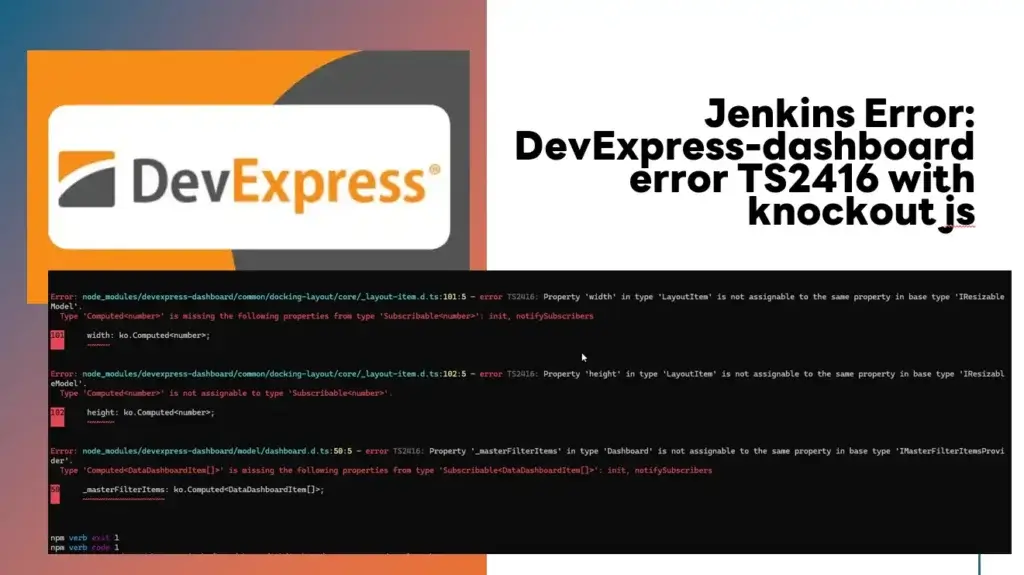

สำหรับวันนี้อยู่ๆ ทีมที่ดูแลได้แจ้งเคสมาว่า วันนี้ตอน Package Angular Container เจอ Error แนวๆนี้ครับ
ubuntu@BuildAgent01:~/Code/ClientApp$ npm run build --verbose
npm verb cli /home/ubuntu/.nvm/versions/node/v18.17.1/bin/node /home/ubuntu/.nvm/versions/node/v18.17.1/bin/npm
npm info using [email protected]
npm info using [email protected]
npm verb title npm run build
npm verb argv "run" "build" "--loglevel" "verbose"
npm verb logfile logs-max:10 dir:/home/ubuntu/.npm/_logs/2026-03-11T07_57_19_539Z-
npm verb logfile /home/ubuntu/.npm/_logs/2026-03-11T07_57_19_539Z-debug-0.log

> [email protected] build
> ng build

Workspace extension with invalid name (defaultProject) found.
One or more browsers which are configured in the project's Browserslist configuration will be ignored as ES5 output is not supported by the Angular CLI.
Ignored browsers: kaios 2.5, op_mini all
✔ Browser application bundle generation complete.

 ...

Error: node_modules/devexpress-dashboard/common/docking-layout/core/_layout-item.d.ts:101:5 - error TS2416: Property 'width' in type 'LayoutItem' is not assignable to the same property in base type 'IResizableModel'.
  Type 'Computed<number>' is missing the following properties from type 'Subscribable<number>': init, notifySubscribers

101     width: ko.Computed<number>;
        ~~~~~

Error: node_modules/devexpress-dashboard/common/docking-layout/core/_layout-item.d.ts:102:5 - error TS2416: Property 'height' in type 'LayoutItem' is not assignable to the same property in base type 'IResizableModel'.
  Type 'Computed<number>' is not assignable to type 'Subscribable<number>'.

102     height: ko.Computed<number>;
        ~~~~~~

Error: node_modules/devexpress-dashboard/model/dashboard.d.ts:50:5 - error TS2416: Property '_masterFilterItems' in type 'Dashboard' is not assignable to the same property in base type 'IMasterFilterItemsProvider'.
  Type 'Computed<DataDashboardItem[]>' is missing the following properties from type 'Subscribable<DataDashboardItem[]>': init, notifySubscribers

50     _masterFilterItems: ko.Computed<DataDashboardItem[]>;
       ~~~~~~~~~~~~~~~~~~

npm verb exit 1
npm verb code 1
หลังจากหา Dep Tree ที่เครื่อง Dev บนว่า
- Jenkins มันอ้างอิง knockout 3.5.1
- แต่เครื่อง Dev มันจะไปอ้างอิง knockout 3.5.0 ขึ้นไป ถ้าอิงจาก package-lock.json
"node_modules/devexpress-dashboard": {
   "version": "24.1.3",
   "resolved": "http://nexus.wmsl.local:8081/repository/npm-group/devexpress-dashboard/-/devexpress-dashboard-24.1.3.tgz",
   "integrity": "sha512-nGotwByN4ajjWChU4QmaWWIDofqgnEFKmZTSxhUTXV9yrnfmy08i6+W2cN8iXf0eZYAzUYfnQHSZ17oE41FHBQ==",
   "license": "SEE LICENSE IN README.md",
     "dependencies": {
        "@types/jquery": "^3.1.1",
        "jquery": "^3.3.1",
        "knockout": "~3.5.0"
     },
     "peerDependencies": {
        "@devexpress/analytics-core": "24.1.3",
        "devexpress-richedit": "24.1.3",
        "devextreme": "24.1.3"
     }
},
ทางแก้ของผม เพิ่ม devDependencies เข้ามาใน knockout npm install --save-dev [email protected]
"knockout": "3.5.0",
Note: ที่ต้อง Fixed "3.5.0" เพราะลองแบบ "~3.5.0" หรือ
"^3.5.0"ไม่ Work ครับ สำหรับสัญลักษณ์~(Tilde) /^(Caret) ผมสรุปไว้ตามตารางข้างล่าง
| สัญลักษณ์ | คำอธิบาย | ตัวอย่าง | ช่วงใช้ได้ |
|---|---|---|---|
~ (Tilde) | ล็อค Minor (เอาแค่ Patch ใหม่) | ~3.5.0 | 3.5.x |
^ (Caret) | ล็อค Major (เอา Minor และ Patch ใหม่) | ^3.5.0 | 3.x.x |
จากนั้นทดสอบ Build สำเร็จครับ
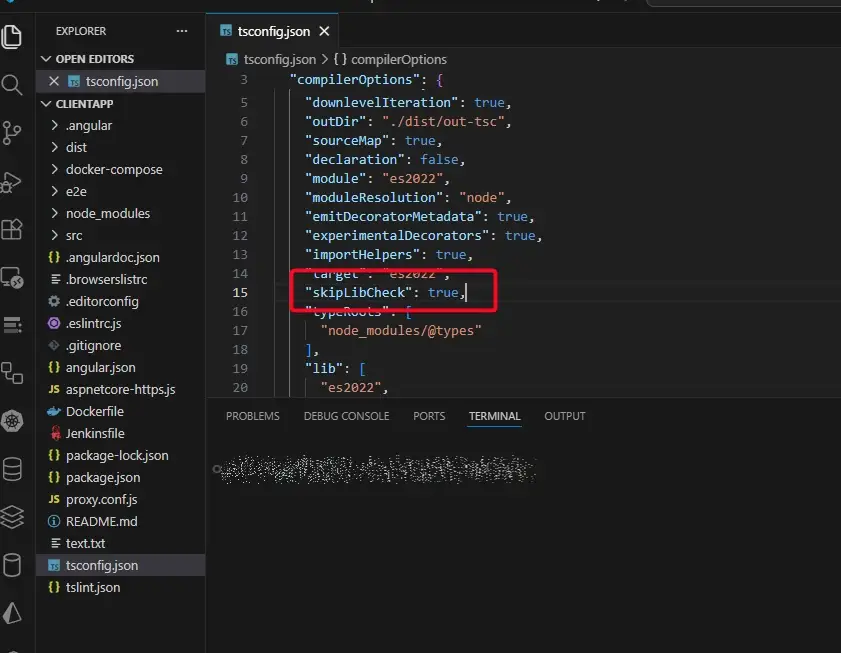
จริงมีอีกวิธีแต่ผมไม่อยากใช้มัน เอาตัว Type Check ของ ts ออกไป ที่ไฟล์ tsconfig.json เพิ่ม skipLibCheck
{
  "compilerOptions": {
    "skipLibCheck": true,
    ...
  }
}
Discover more from naiwaen@DebuggingSoft
Subscribe to get the latest posts sent to your email.