
Ubuntu has built-in torrent file support with Transmission, which is a light-weight and cross-platform BitTorrent client. there are 3 package that you can use 2 way
- CLI - transmission-cli The daemon, with CLI tools and a Web interface.
- GUI - transmission-gtk / transmission-qt (Note gtk / qt user interface platform
transmission-gtk
🔌 you can run it add torrent file If not. you can install it with these commands
sudo apt update
sudo apt install transmission-gtk   # GUI Version
🔌 Download your file with Command (Required GUI Mode)
transmission-gtk your-file.torrent
🔌 After this command, the transmission will open a window for confirmation to download the file. Simply click OK, and your file will start downloading.
transmission-daemon
🔌 install package
sudo apt update
sudo apt install transmission-cli transmission-common transmission-daemon

# run as service
systemctl enable transmission-daemon
systemctl start transmission-daemon
🔌 Set up Downloads folder & Grant Permission
- Default “/var/lib/transmission-daemon/downloads/“
- Create Path + Read Write Persmision
mkdir -p /mnt/hdddrive/downloads/transmission
chmod g+rw /mnt/hdddrive/downloads/transmission

# tmp path during download
mkdir -p /mnt/hdddrive/downloads/transmissiontmp
chmod g+rw /mnt/hdddrive/downloads/transmissiontmp
- Add ‘debian-transmission’ to your user group
sudo gpasswd --add debian-transmission $USER
- Add Daemon config file and change some config
sudo nano /etc/transmission-daemon/settings.json
| Config | Description |
|---|---|
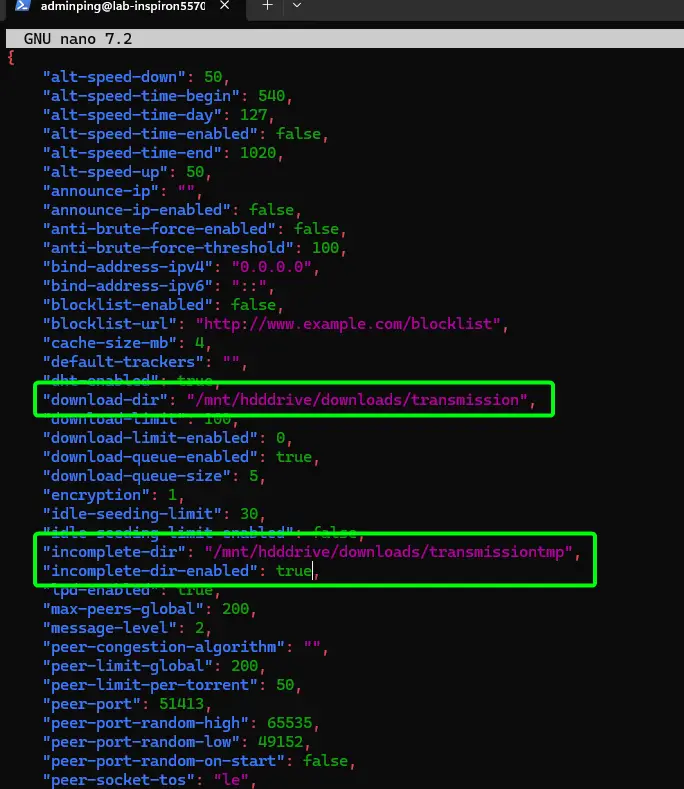
| download-dir | replace with path for complete data |
| incomplete-dir | replace with path for incomplete temp path |
| incomplete-dir-enabled | true (if true - unfinished download files are not visible) |
| umask | replace 022 > 18 Note .json file does not allow octal notation. octal 22 = decimal 18 |
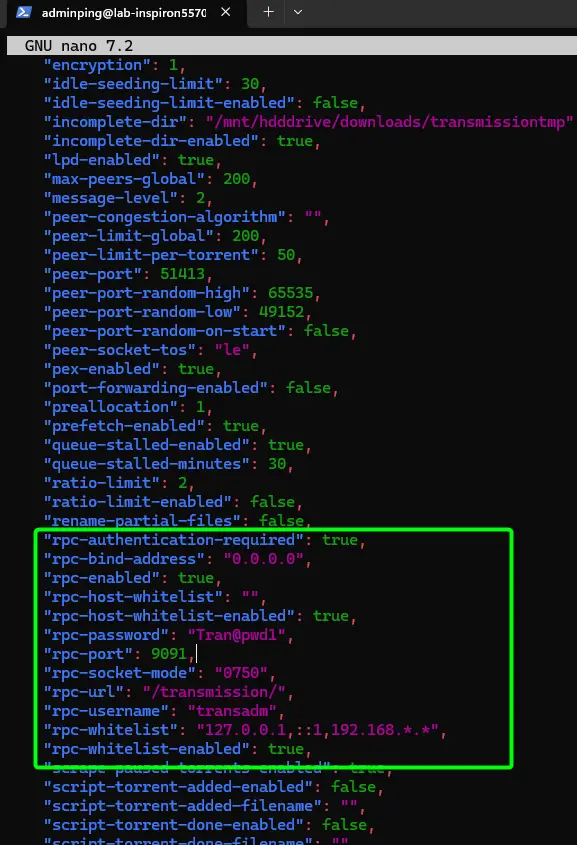
| rpc-whitelist-enabled | false - anyone can access |
| rpc-whitelist | required when rpc-whitelist-enabled true for filter client ot access web if we wanted everyone on the “192.168.0.0” subnet to have access to Transmission’s web interface "rpc-whitelist": "127.0.0.1,::1,192.168.*.*" |
| rpc-enabled | true (enable web interface) |
| rpc-username | username |
| rpc-password | password //You can see hash password issue on KM Session |
- save confifg, and restart service
systemctl reload transmission-daemon.service

systemctl status transmission-daemon.service
- Check Filewall + Allow
sudo ufw status

sudo ufw allow 9091,51413/tcp
# 9091 for web
# 51413 is your torrent port download. please check with you source
🔌 Access
- command line:
transmission-cli [options] <torrent file|url|magnet>
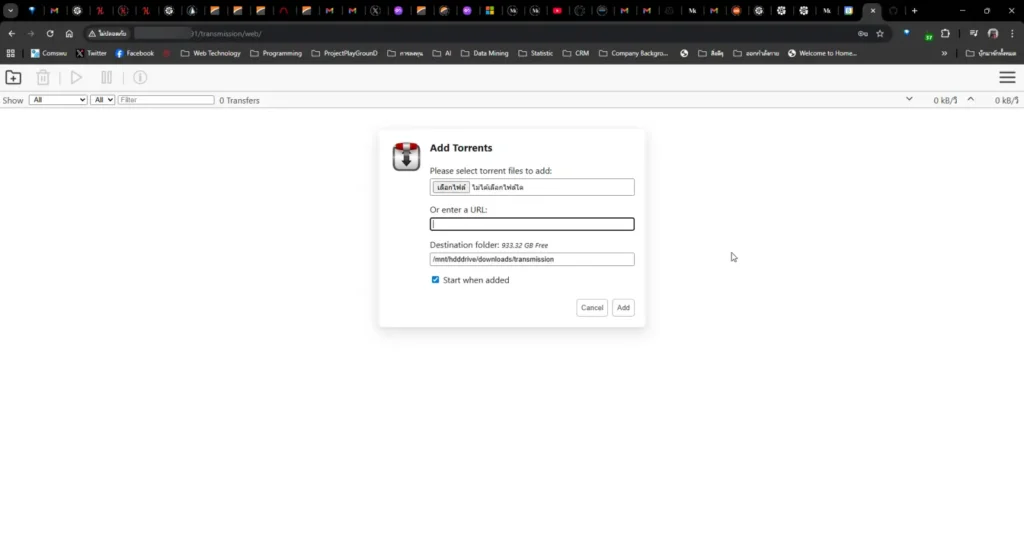
- web visiting: ip-address:9091/transmission/web/
KM
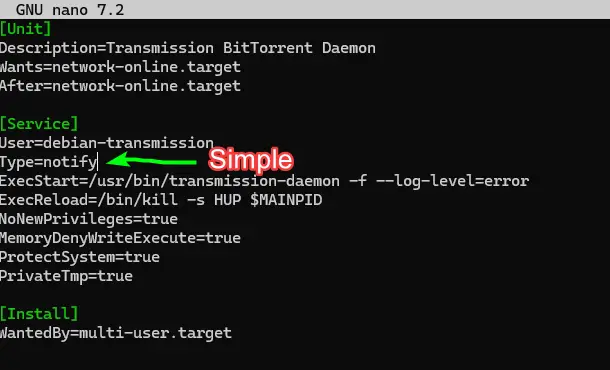
🔌 If you can not start service type to see this issue https://github.com/transmission/transmission/issues/6991#issuecomment-2483364364
🔒 rpc-password generator > Issue How password hash is computed / Tools https://github.com/tomwijnroks/transmission-pwgen
Reference
Discover more from naiwaen@DebuggingSoft
Subscribe to get the latest posts sent to your email.