
จริงเคยตั้งมาหลายปีแล้ว แล้วที่นี้บาง Project เราต้องเข้ามาดูเพิ่ม หรือ ไม่ได้ดูแล้ว ยังไม่ได้ปรับออก ถึงรอบสังคยนาเลยปรับทีเดียวเลย
ปกติแล้วตัว Git Lab มันมีจุดให้ปรับความถี่ของ Notification 3 จุดครับ ได้แก่
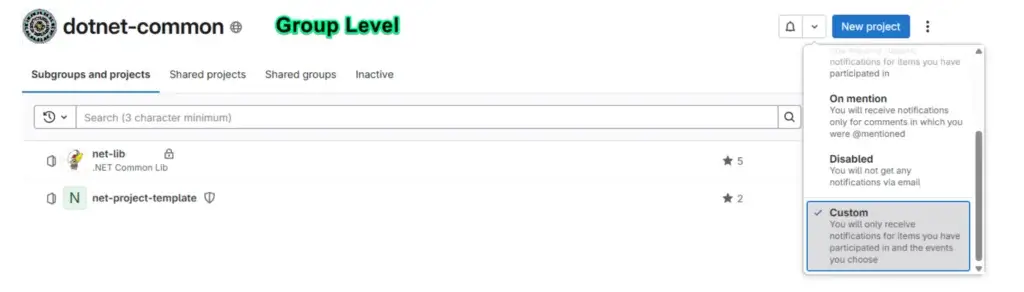
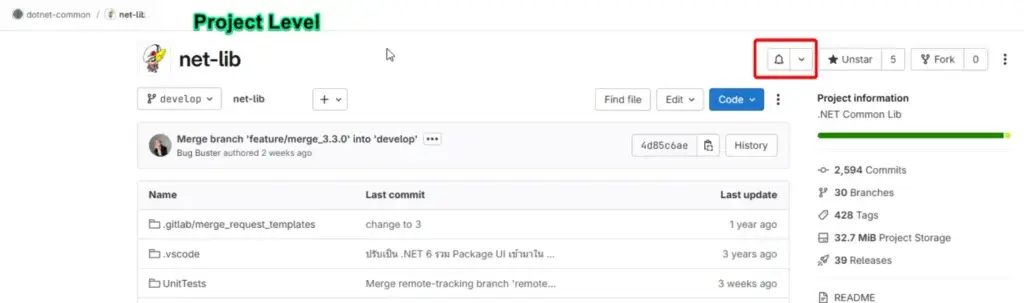
- หน้าจอ Profile > Preference
- หน้าจอ Group
- หน้าจอ Project
สำหรับการตั้งค่า เอาจริงส่วนหลังมีในหน้าจอ Profile > Preference ครับ มันมีส่วนแรก
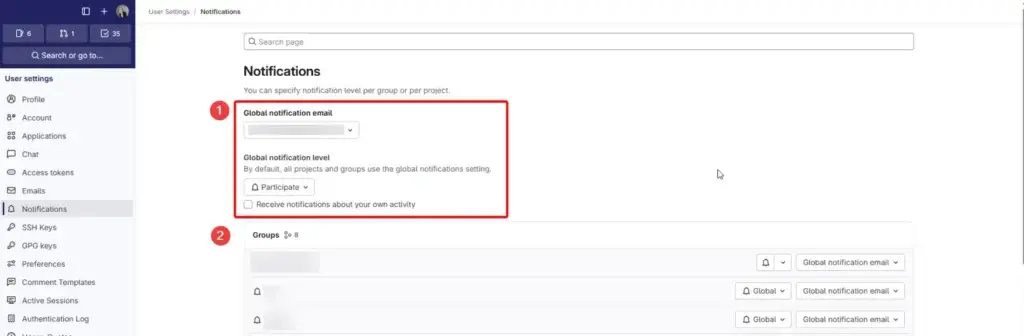
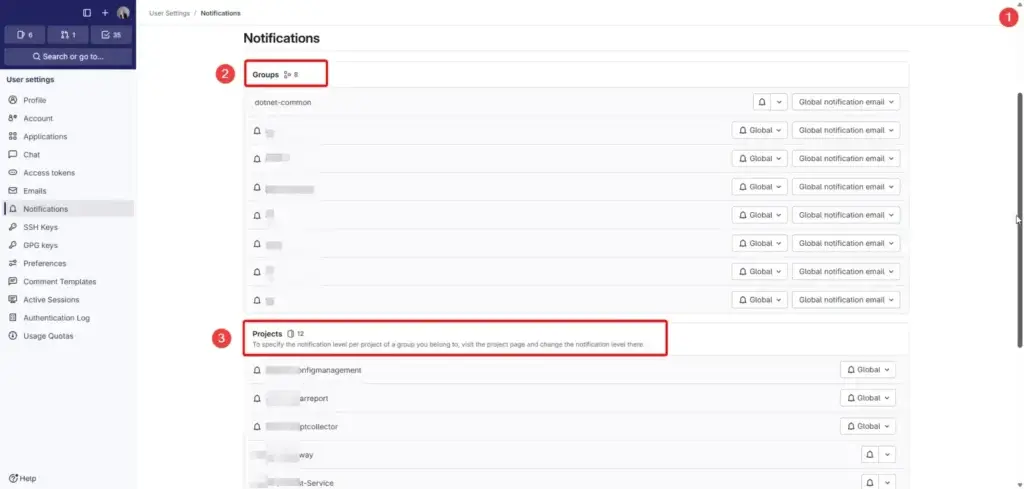
- Global notification level - กำหนด Default Notification ในภาพรวมครับ และ mail ที่ใช้งาน
- Group จะมา override ส่วนของ Global notification level + override mail ที่ใช้ครับ
- และสุดท้าย Project ที่จะ Override ในส่วนของ group อีกทีครับ
มาในส่วนของ notification level มีหลายส่วนครับ สรุปตามตารางและกันครับ
| Level | Description | Global Notification Level | Group | Project |
|---|---|---|---|---|
| Global | Your global settings apply. | ❌ | ✅ | ✅ |
| Watch | Receive notifications for most activity. | ✅ | ✅ | ✅ |
| Participate | Receive notifications for threads you have participated in. | ✅ | ✅ | ✅ |
| On mention | Receive notifications when you are mentioned in a comment. | ✅ | ✅ | ✅ |
| Disabled | Receive no notifications. | ✅ | ✅ | ✅ |
| Custom | Receive notifications for selected events and threads you have participated in. | ✅ | ✅ | ✅ |
ในส่วนของ Custom มันมีให้ปรับ Status ได้ ดังนี้
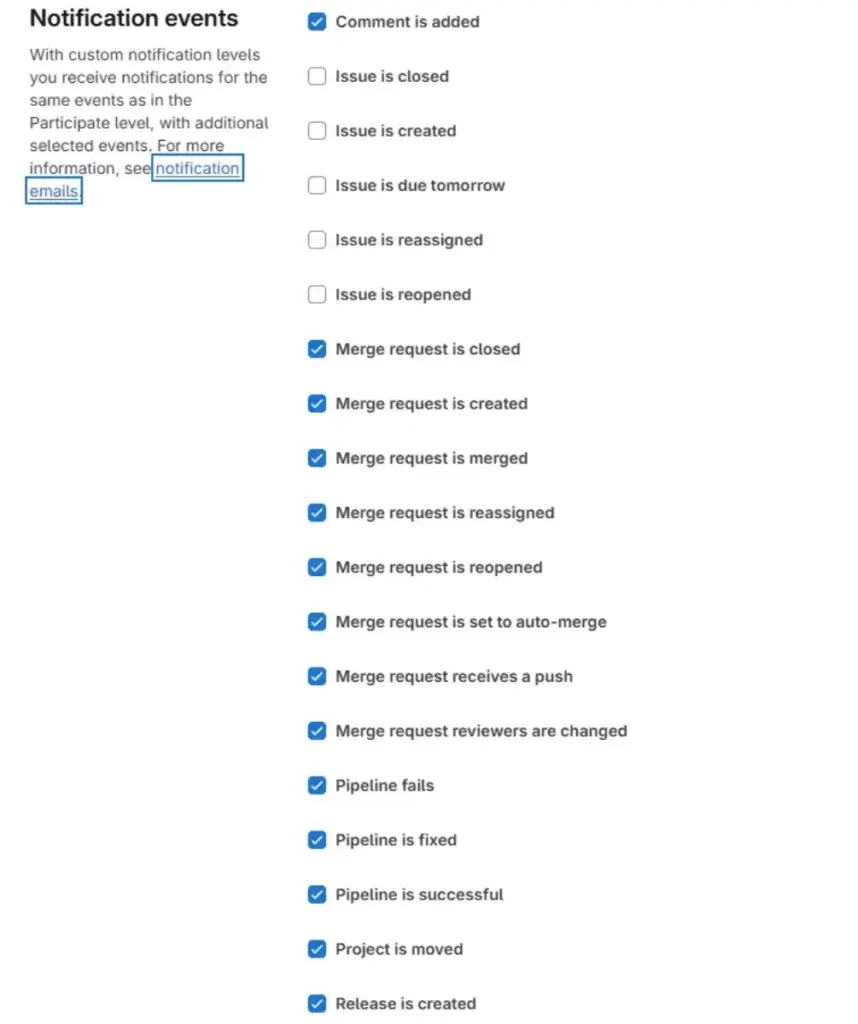
ปกติผมจะเอาพวก Merge Event ครับ เพราะต้องมา Review และ Accept Merge ของน้อง และ Merge ประเภทถ้ามีบุคคลอันตราย แล้ว Maintainer ท่านอื่นจะไม่ยอม Merge กัน
Reference
Discover more from naiwaen@DebuggingSoft
Subscribe to get the latest posts sent to your email.